# Bun for Visual Studio Code

 This extension adds support for using [Bun](https://bun.com/) with Visual Studio Code. Bun is an all-in-one toolkit for JavaScript and TypeScript apps.
At its core is the _Bun runtime_, a fast JavaScript runtime designed as a drop-in replacement for Node.js. It's written in Zig and powered by JavaScriptCore under the hood, dramatically reducing startup times and memory usage.
## Features:
- Live in-editor error messages (gif below)
- Vscode test runner support
- Debugger support
- Run scripts from package.json
- Visual lockfile viewer for old binary lockfiles (`bun.lockb`)
## Bun test runner integration
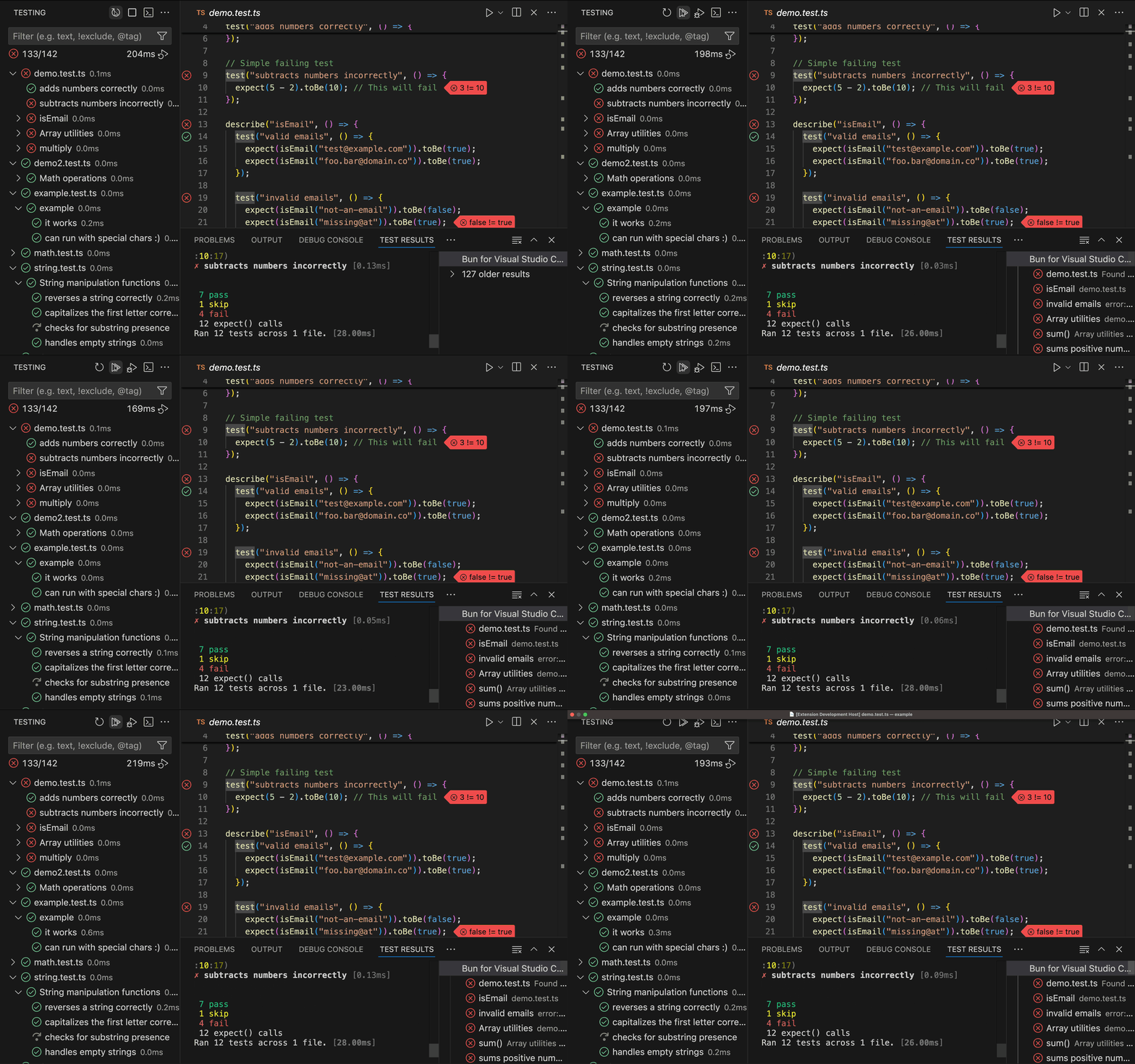
Run and debug tests directly from VSCode's Testing panel. The extension automatically discovers test files, shows inline test status, and provides rich error messages with diffs.
## In-editor error messages
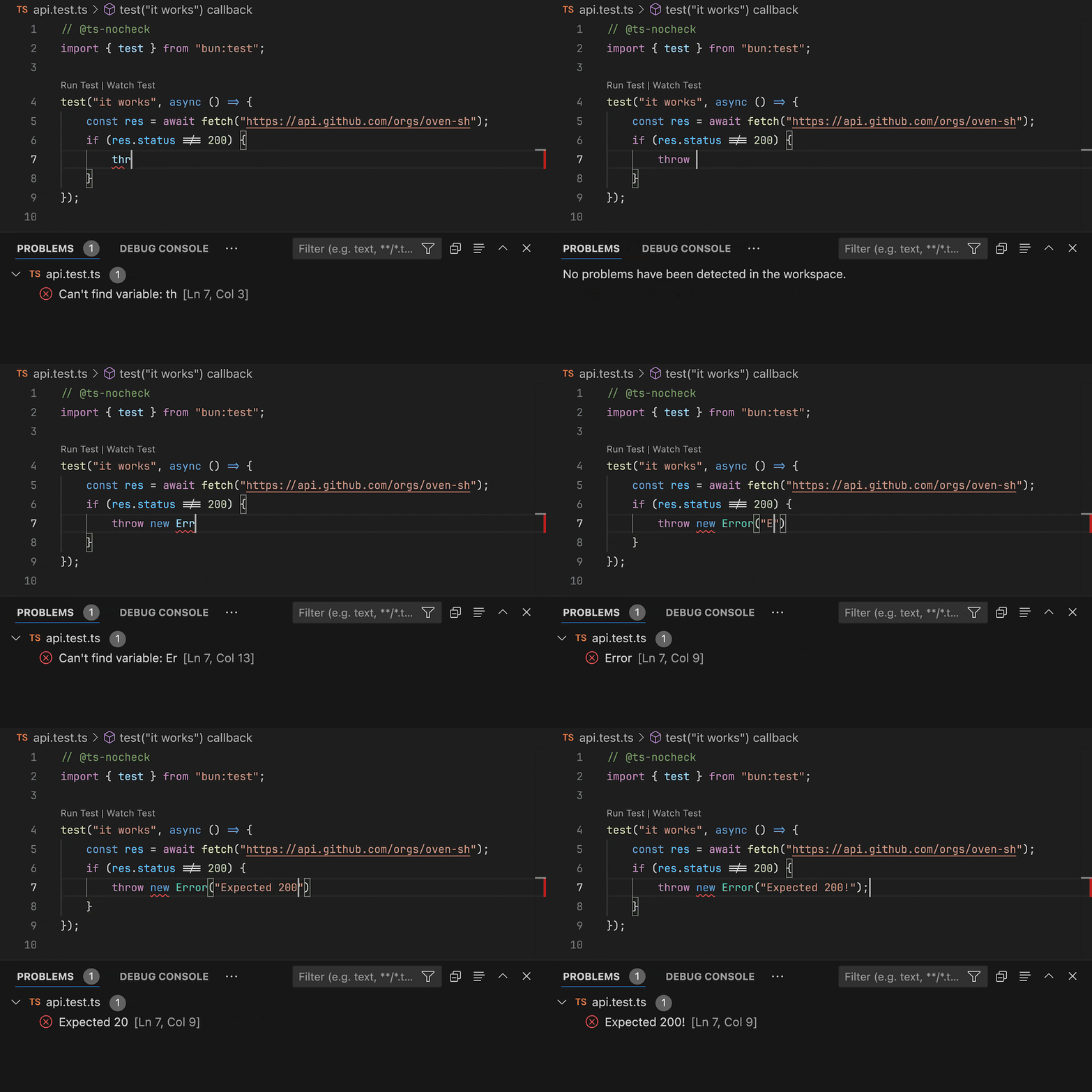
When running programs with Bun from a Visual Studio Code terminal, Bun will connect to the extension and report errors as they happen, at the exact location they happened. We recommend using this feature with `bun --watch` so you can see errors on every save.
This extension adds support for using [Bun](https://bun.com/) with Visual Studio Code. Bun is an all-in-one toolkit for JavaScript and TypeScript apps.
At its core is the _Bun runtime_, a fast JavaScript runtime designed as a drop-in replacement for Node.js. It's written in Zig and powered by JavaScriptCore under the hood, dramatically reducing startup times and memory usage.
## Features:
- Live in-editor error messages (gif below)
- Vscode test runner support
- Debugger support
- Run scripts from package.json
- Visual lockfile viewer for old binary lockfiles (`bun.lockb`)
## Bun test runner integration
Run and debug tests directly from VSCode's Testing panel. The extension automatically discovers test files, shows inline test status, and provides rich error messages with diffs.

## In-editor error messages
When running programs with Bun from a Visual Studio Code terminal, Bun will connect to the extension and report errors as they happen, at the exact location they happened. We recommend using this feature with `bun --watch` so you can see errors on every save.

In the example above VSCode is saving on every keypress. Under normal configuration you'd only see errors on every save.
Errors are cleared whenever you start typing, or whenever the extension detects that Bun just started running (or reloading) a new program.
## Configuration
### `.vscode/launch.json`
You can use the following configurations to debug JavaScript and TypeScript files using Bun.
```jsonc
{
"version": "0.2.0",
"configurations": [
{
"type": "bun",
"request": "launch",
"name": "Debug Bun",
// The path to a JavaScript or TypeScript file to run.
"program": "${file}",
// The arguments to pass to the program, if any.
"args": [],
// The working directory of the program.
"cwd": "${workspaceFolder}",
// The environment variables to pass to the program.
"env": {},
// If the environment variables should not be inherited from the parent process.
"strictEnv": false,
// If the program should be run in watch mode.
// This is equivalent to passing `--watch` to the `bun` executable.
// You can also set this to "hot" to enable hot reloading using `--hot`.
"watchMode": false,
// If the debugger should stop on the first line of the program.
"stopOnEntry": false,
// If the debugger should be disabled. (for example, breakpoints will not be hit)
"noDebug": false,
// The path to the `bun` executable, defaults to your `PATH` environment variable.
"runtime": "bun",
// The arguments to pass to the `bun` executable, if any.
// Unlike `args`, these are passed to the executable itself, not the program.
"runtimeArgs": [],
},
{
"type": "bun",
"request": "attach",
"name": "Attach to Bun",
// The URL of the WebSocket inspector to attach to.
// This value can be retrieved by using `bun --inspect`.
"url": "ws://localhost:6499/",
// Optional path mapping for remote debugging
"localRoot": "${workspaceFolder}",
"remoteRoot": "/app",
},
],
}
```
### `.vscode/settings.json`
You can use the following configurations to customize the behavior of the Bun extension.
```jsonc
{
// The path to the `bun` executable.
"bun.runtime": "/path/to/bun",
// If support for Bun should be added to the default "JavaScript Debug Terminal".
"bun.debugTerminal.enabled": true,
// If the debugger should stop on the first line of the program.
"bun.debugTerminal.stopOnEntry": false,
// Glob pattern to find test files. Defaults to the value shown below.
"bun.test.filePattern": "**/*{.test.,.spec.,_test_,_spec_}{js,ts,tsx,jsx,mts,cts,cjs,mjs}",
// The custom script to call for testing instead of `bun test`
"bun.test.customScript": "bun test",
}
```